
After a student enrols online, you will need to approve the students. This is a great opportunity to send a welcome email or an invoice/receipt.
Configure sending an "approval email" for the online registrations- go to the "ClassHub" module
- Select "Setting"
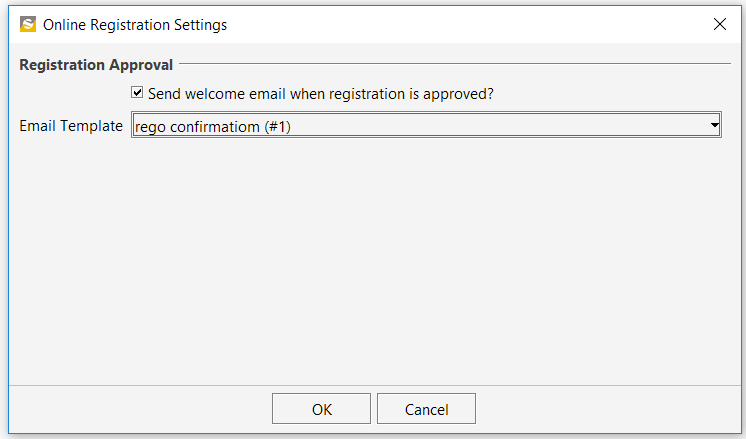
- Tick "Send welcome email when registration is approved?"
- Select an email template for the approval email.
The following merged fields (or merged tags) are supported in the approval email templates:
| ${parents_or_student_name} | Parent's name, if empty, then the student's name |
| ${invoice_payments_list} | Payment amount and payment method in the invoice (e.g. $50 by Credit Card) |
| ${invoice_attachment} | A link to the invoice generated for the registration. |
an example email body:
Dear ${parents_or_student_name},Your class registration has been approved. Please find attached the invoice.
Payment Details:
${invoice_payments_list}
Regards,
ABC Business
${invoice_attachment}