
If you launch inTennis / SportLogicApp and see the spinning wait cursor (rainbow beach ball) that does not progress, the application may be stuck during startup.
One common cause on macOS is a conflict with the Grammarly desktop application.
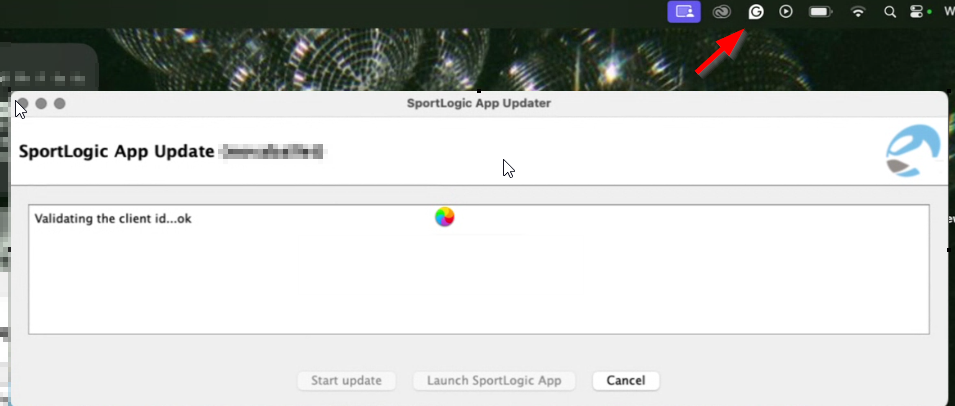
Grammarly for Mac installs a system-wide writing assistant that integrates with text input fields across applications.
Since inTennis / SportLogicApp is Java-based, Grammarly’s background text injection and accessibility hooks can occasionally interfere with the Java runtime during launch.
When this conflict occurs, the application may hang before fully opening, resulting in the spinning wait cursor.
Please follow these steps to fix the issue:
Step 1: Force Quit inTennis / SportLogicApp. Press Command (⌘) + Option + Escape on your keyboard. Select inTennis or SportLogicApp from the list. Click Force Quit.
Step 2: Quit Grammarly. Click the Grammarly icon in the macOS menu bar (top-right corner). Select Quit Grammarly.
Step 3: Relaunch inTennis / SportLogicApp.
If the Issue continues, restart your Mac.
If the spinning wait cursor persists after following these steps, please contact our customer support team.