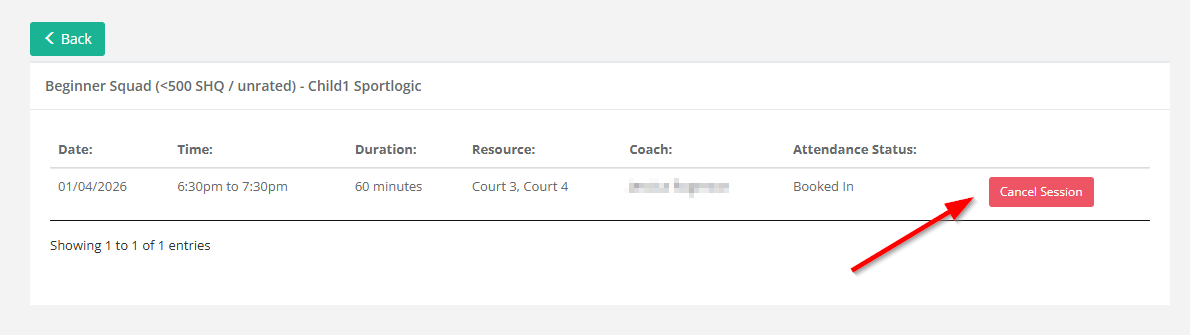
Setting Up Lesson Credits for Customer Session Cancellations
SportlogicApp allows customers to cancel sessions through the customer portal.
The system can also be configured to automatically issue a lesson credit when a cancellation is made. This credit can then be used by the customer to book into another session at a later time.
Step 1: Create a Lesson Credit Type
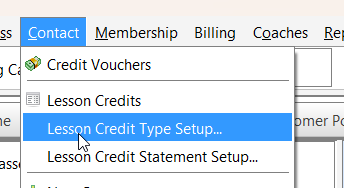
- Navigate to the Contact Menu.
- Select Lesson Credit Type Setup.
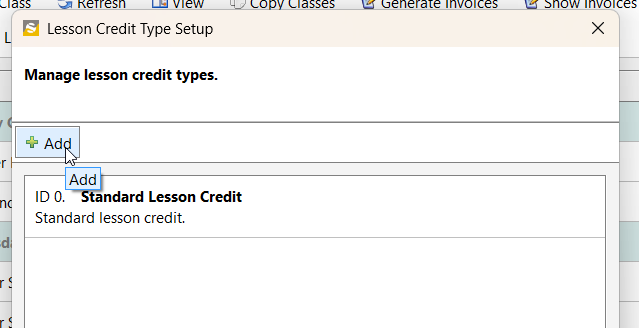
- Click the Add button.
- Enter a name for the credit type.
- Example: Beginner Squad
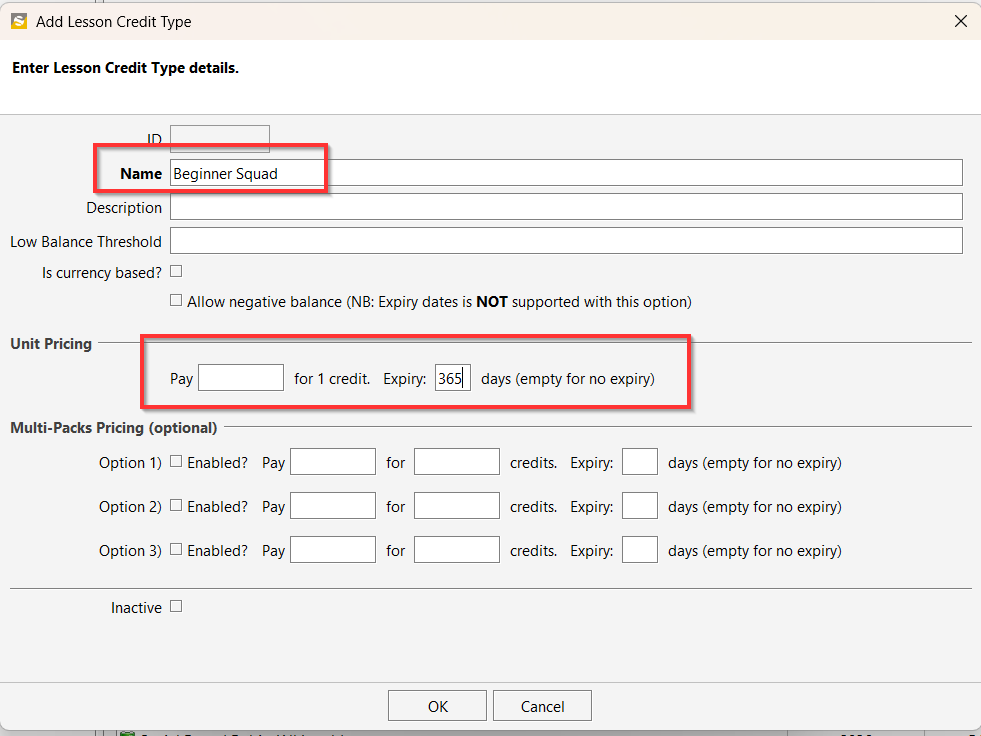
- Example: Beginner Squad
- Enter the expiry period (number of days the credit will remain valid).
- Click OK to save and continue.
Step 2: Assign the Credit Type to a Class
- Open the relevant Class.
- Click on Properties.
- Select the Lesson Credit tab.
- Choose the lesson credit type you created (e.g., Beginner Squad).
- Tick the checkbox for Issue lesson credit on self cancellation.
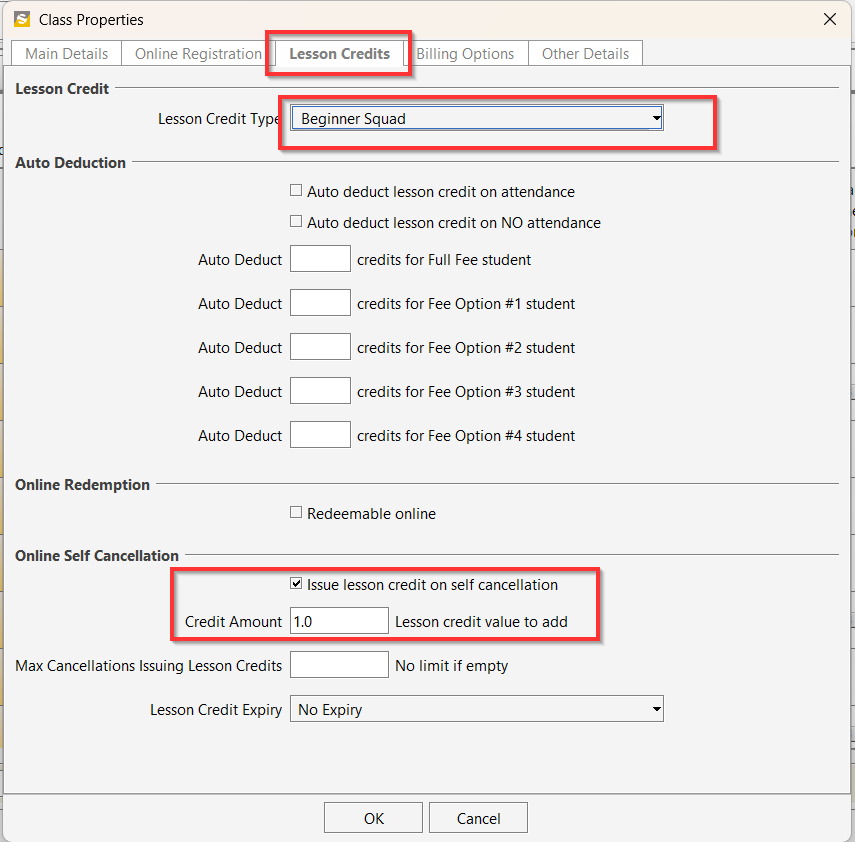
- Click OK to save your changes.
Customers can now cancel their sessions through the customer portal. When they do, they will automatically receive a lesson credit, which they can use later to book into another session.