
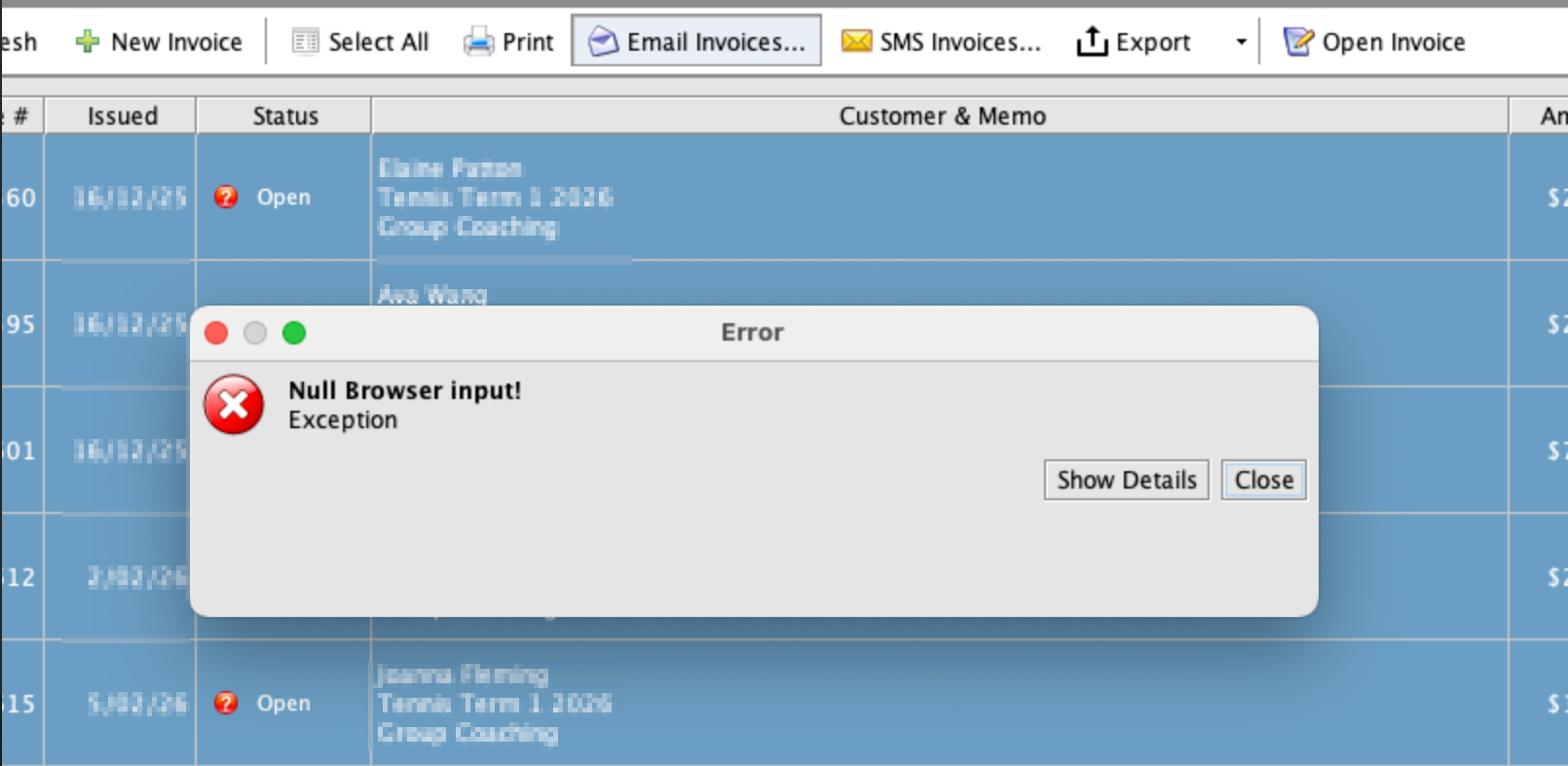
If you receive a “Null browser input!” error when sending email from inTennis / SportLogicApp on macOS Sequoia or later, the issue is usually caused by missing system permissions for Java or the application.
Newer macOS versions require explicit permission under App Management for certain apps to function correctly.
How to Fix
Please follow these steps:
- Open Mac System Settings
- Go to Privacy & Security.
- Select App Management.
- Locate Java or inTennis / SportLogicApp in the list.
- Toggle the permission ON.
- Close and restart inTennis.
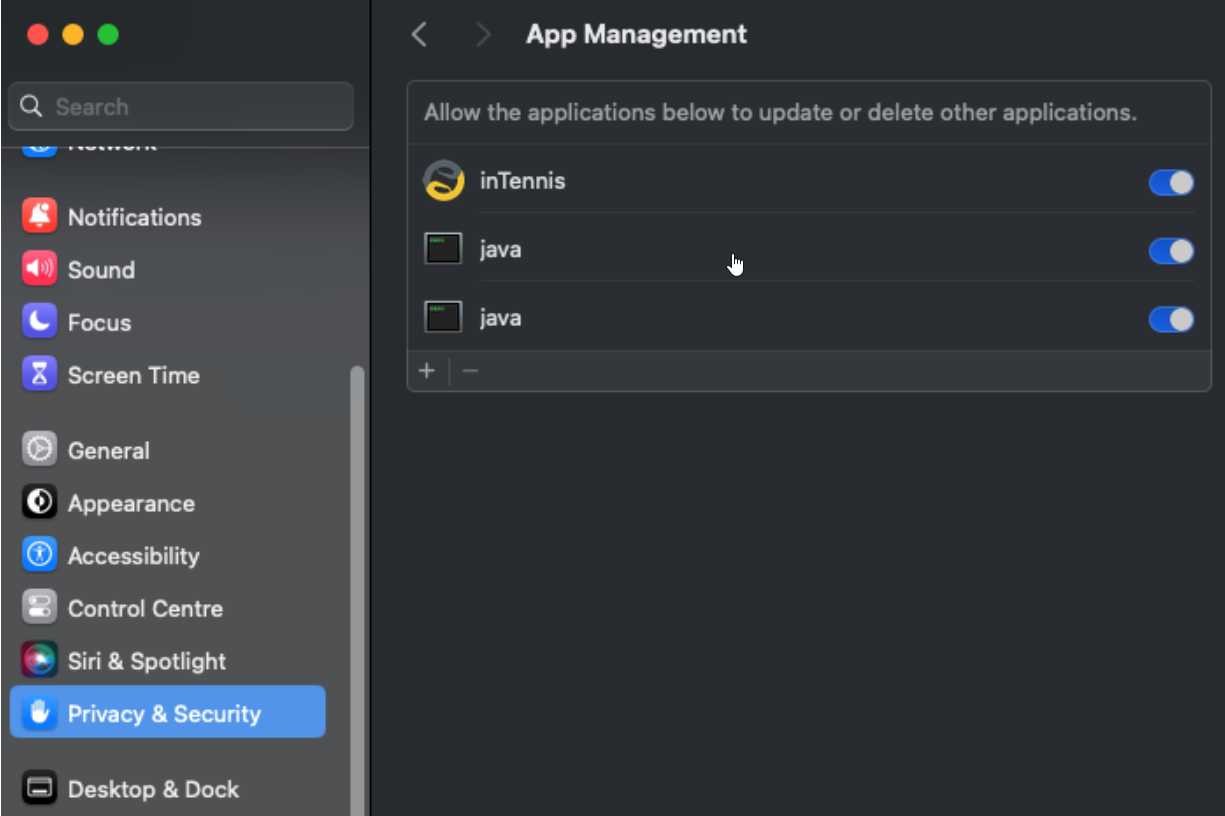
If both Java and inTennis are listed, enable permissions for both.
After Completing the Steps
Reopen inTennis and try sending the email again. The error should no longer appear.
If the issue continues, restart your Mac and try logging in again.